Greeting card design utility
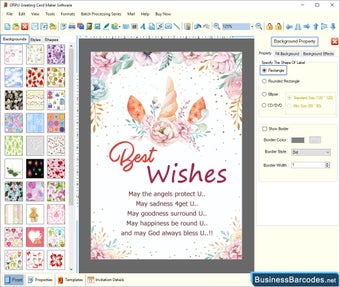
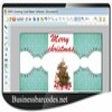
Greetings Card Maker Software provides tools for creating greeting cards by combining images, text, shapes, and graphic elements. It supports placing custom photos, adjusting fonts, and modifying colors to structure layouts for different card formats. You can draw with basic digital tools, arrange objects on a canvas, and generate cards in multiple shapes, including rectangles and ellipses.
Greetings Card Maker Software offers high-efficiency printing, producing multiple printed copies in one batch. The software allows starting from a blank card or modifying an existing one, and includes options for controlling image placement, selecting shapes, and preparing files for printing.
Visual card builder
Greetings Card Maker Software includes drawing and composition elements such as pencil strokes, text fields, star shapes, rectangles, and ellipses. These tools allow you to position visual components in defined areas of the card and build structured layouts. Image placement aligns photos with shapes or anchors them to regions. Text formatting adjusts font, size, and color. All objects can be inserted, repositioned, or removed.
Card layouts can be generated in multiple predefined shapes, such as rectangles, rounded rectangles, and ellipses. However, it lacks advanced photo editing tools and automated layout options. The software’s customization panel provides controls for adjusting color properties, modifying object dimensions, and selecting graphic components to shape the card’s final structure. Editing tools allow inserting, replacing, and controlling image fit. This supports structured design creation or reworking drafts without altering the composition.
Printing tools allow generating multiple copies in one sequence, and the settings panel offers configuration options for selecting print format and alignment. The software applies its layout data to match the selected card size so the printed output follows the arrangement set on the canvas. Exported cards can be sent straight to a printer, preserving object placement and images for physical output.
Design, print, done
Greetings Card Maker Software centers on constructing greeting cards using drawing objects, photo insertion, text controls, and shape-based layouts. It supports creating new cards or updating existing ones and includes tools for adjusting fonts, colors, and graphic elements. The print module outputs single or multiple copies using the card's defined layout. Its feature set is limited to design and print functions, with no tools for automated layout generation or advanced image manipulation.